

HOW TO DETECT HIDDEN CAMERAS USING YOUR PHONE 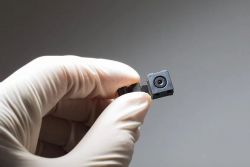 HOW TO DETECT HIDDEN CAMERAS USING YOUR PHONE Hidden cameras have become a risk, appearing everywhere from hotel rooms to rental homes, but experts say that with the proper use of smartphones, these devices can be detected and privacy can be largely protected. We live in an age where cameras are small enough to be hidden inside a coffee cup or behind a mirror. This makes privacy more fragile than ever, and we hear more and more news about covert surveillance, especially in hotel rooms, rental apartments, and changing rooms. Hidden cameras are no longer just a subject of spy movies. With decreasing costs and advancements in concealment technologies, they have become an increasingly real phenomenon. The biggest problem is that most people are unaware they are being watched and lack the tools to detect it. However, as technology advances, the phones we carry in our pockets can become a tool to protect us when used correctly. According to experts, the detection process begins with understanding how the cameras work. Technically, hidden cameras fall into two main categories: Active devices: Devices that transmit data via Wi-Fi, Bluetooth, GSM, or special radio frequencies. Passive devices: Devices that only record data to local memory (e.g., micro SD card) and do not emit any signals. Therefore, they cannot be detected by network scanning applications. Phone camera and infrared light method This is one of the fastest and simplest methods and requires no application. Since many hidden cameras emit infrared (IR) light, a phone camera can detect this light. All you have to do is point your phone camera at different points in the room and check if there are small red light reflections on the screen. According to experts, it is important which camera of the phone is used. Some phones may not detect IR light because their main camera has an infrared filter. However, the front camera usually does not have this filter and gives more effective results. Scanning the Wi-Fi network Many hidden cameras stream images live over the internet. Therefore, network scanning applications are quite useful. After downloading applications like "Fing" or "Network Scanner," connect to the current Wi-Fi network and perform a scan. Search for suspicious device names. For example, generic names like "IPCam," "Camera," or "ESP32" may indicate a hidden camera. The presence of a second unknown Wi-Fi network in the area can also strengthen the possibility of an IP camera. Some manufacturer names like "LXMIMI" and "FREDI" might also be noteworthy. Flashlight and Reflection Method This method doesn't require an internet connection or a special application. The basic principle is that camera lenses reflect light. The room is darkened, the phone's flashlight is turned on, and the light is slowly moved around the room. If a small, bright reflection is seen when viewed through the phone's camera, it could be a camera lens. Magnetic Sensor Method This is a lesser-known but effective method. Phones with magnetic field sensors can detect the electromagnetic field emitted by some hidden cameras. Using applications like "Hidden Camera Detector," the phone is brought close to suspicious areas, and sudden data changes are monitored. First, check the following areas: Experts emphasize that random searches should be avoided. Hidden cameras generally don't run on long-lasting batteries, so they are usually located near electrical sources. Therefore, outlets, smoke detectors, clocks, lamps, and electronic devices should be checked first. What to do if a hidden camera is found? If a device is detected, it should not be touched. First, take photos from different angles, and note the device's make and serial number. Then, immediately contact the place, person, or people you wish to contact. If the place is rented through a platform like Airbnb, vacate the premises and report it to the platform's customer service. Direct contact with the homeowner/property owner is not recommended. Conclusion Hidden cameras are no longer science fiction, but an increasingly common security problem. However, smartphones, when used correctly, can become a powerful protection tool. According to experts, three fundamental steps are important: awareness, using technology correctly, and reporting suspicious situations to the authorities. HOW TO DETECT HIDDEN CAMERAS USING YOUR PHONE |
|
162 kez okundu
YorumlarHenüz yorum yapılmamış. İlk yorumu yapmak için tıklayın |